Karnataka social media ban: Meta says it should cover all apps teens use

Karnataka social media ban: Meta says it should cover all apps teens use


The Karnataka government on Friday announced plans to ban social media use for children below the age of 16 as part of the state budget for 2026–27.


Chief Minister Siddaramaiah said the measure aims to address the adverse effects of rising mobile phone usage among children.


“Social media will be banned for children under the age of 16 to prevent the adverse effects of increasing mobile usage. The ban is aimed at preventing the negative impact on children caused by increasing mobile phone usage,” Siddaramaiah said in his budget speech.


Responding to the proposal, Instagram and Facebook parent Meta said it would comply with social media bans where they are enforced, but argued that targeting a limited number of platforms may not effectively address online safety concerns.


“We’ll comply with social media bans where they are enforced, but with teens using around 40 apps weekly, targeting a handful of companies won’t keep them safe. Bans should apply equally across the many apps teens use,” the company said in a statement.


Meta also cautioned that restrictions could unintentionally push teenagers towards less safe or unregulated online spaces, or logged-out experiences that bypass safety protections such as safeguards built into Instagram’s Teen Accounts.


The company added that it shares the objective of ensuring safer digital environments for young users and believes parents should play a central role in deciding which apps their teenagers use.


“We support laws that empower parents to approve teen app downloads on the app store,” the statement said.


Meanwhile, Andhra Pradesh is also considering similar restrictions. Speaking in the Andhra Pradesh Legislative Assembly, Chief Minister N Chandrababu Naidu said the state government was exploring steps to restrict social media access for children below 13 years of age.


Referring to a proposal suggested by IT Minister Nara Lokesh, Naidu said the government plans to introduce a programme within the next 90 days to prevent children under 13 from accessing social media.


He added that the government is also examining possible regulations for the 13–16 age group and will take a decision after wider consultations.


Naidu said the government remains committed to ensuring that children are protected from the negative effects of excessive social media use.


Source link

OpenAI releases GPT-5.4 Thinking and Pro in ChatGPT: How is it different

OpenAI releases GPT-5.4 Thinking and Pro in ChatGPT: How is it different


OpenAI has announced the rollout of GPT-5.4, its latest artificial intelligence model, across ChatGPT, its developer API and Codex. According to the company, the model combines improvements in reasoning, coding and agent-driven workflows to handle complex professional tasks more effectively. 


Within ChatGPT, the model will appear as GPT-5.4 Thinking, replacing GPT-5.2 Thinking for paid users. The company said the update aims to help the model complete real-world tasks more efficiently, including work involving spreadsheets, presentations and documents. 


OpenAI also introduced GPT-5.4 Pro, a higher-performance version of the model designed for more demanding workloads and complex tasks. 


GPT-5.4: What’s new


According to OpenAI, GPT-5.4 integrates the coding capabilities previously introduced with GPT-5.3 Codex while improving performance across reasoning, knowledge work and software environments. The company said the model is designed to reduce back-and-forth interactions by producing more accurate outputs in a single attempt. 


On internal and third-party benchmarks cited by OpenAI, GPT-5.4 showed improvements over GPT-5.2 across several areas. On GDPval, a benchmark measuring the ability of AI systems to perform professional knowledge work, the model matched or exceeded industry professionals in 83 per cent of comparisons, compared with 70.9 per cent for GPT-5.2. 


OpenAI also said the model performs better on tasks involving spreadsheets and presentations. In internal tests simulating work done by junior investment banking analysts, GPT-5.4 achieved an average score of 87.3 per cent in spreadsheet modelling tasks, compared with 68.4 per cent for GPT-5.2. 


The company also claims the model is more reliable than previous versions. In tests involving prompts where users had previously flagged factual errors, GPT-5.4 generated responses that were 18 per cent less likely to contain mistakes compared with GPT-5.2.


GPT-5.4 Thinking: What’s new in ChatGPT


In ChatGPT, OpenAI introduces GPT-5.4 Thinking, which brings features aimed at making long or complex responses easier to guide. 


The company said GPT-5.4 Thinking improves deep web research, particularly for highly specific queries that require information from multiple sources. OpenAI claims the model can maintain context over longer reasoning chains, helping it produce more coherent responses for complex questions.


Agent capabilities, tool search and computer use


OpenAI said GPT-5.4 introduces stronger support for agent-style workflows, where AI systems can complete tasks across multiple tools and software environments. 


The model is the company’s first general-purpose system with native computer-use capabilities, allowing AI agents to interact with applications through screenshots, mouse movements and keyboard inputs. OpenAI said this enables agents to navigate websites, manage files and perform multi-step workflows across software systems. 


Developers can access these capabilities through updated computer-use tools in the API. 


OpenAI also introduced tool search, which allows the model to dynamically retrieve tool definitions when needed instead of loading all available tools into a prompt at once. According to the company, this approach can reduce token usage and improve efficiency when AI agents operate across large tool ecosystems. 


In addition, agentic tool calling has been improved. OpenAI said GPT-5.4 can more accurately decide when to use external tools during reasoning tasks, which helps agents complete multi-step workflows with fewer interactions and lower latency.


GPT-5.4 Pro: Higher-performance version


Alongside the base model, OpenAI introduced GPT-5.4 Pro, which the company describes as a higher-performance version intended for complex tasks requiring maximum capability. 


On the BrowseComp benchmark, which evaluates how well AI agents search and synthesise information from the web, GPT-5.4 Pro achieved an accuracy score of 89.3 per cent, compared with 82.7 per cent for the standard GPT-5.4 model. 


The company said GPT-5.4 Pro is available to ChatGPT Pro and Enterprise users, as well as developers through the API.


Availability


GPT-5.4 has been rolled out across ChatGPT, the API and Codex. In ChatGPT, the model is available to Plus, Team and Pro users as GPT-5.4 Thinking, replacing GPT-5.2 Thinking. 


Developers can access the model through the API under the name gpt-5.4, while gpt-5.4-pro is available for higher-performance workloads. 


OpenAI said GPT-5.2 Thinking will remain accessible in ChatGPT under the Legacy Models section for three months before being retired.


GPT-5.3 Instant

In related news, OpenAI recently introduced GPT-5.3 Instant, an update to the default model powering ChatGPT, aimed at improving everyday conversations. The company said the update focuses on making responses more fluid, direct and relevant, while reducing overly cautious language and unnecessary refusals. According to OpenAI, earlier models sometimes declined questions that could have been answered safely or used long disclaimers before responding. With GPT-5.3 Instant, the model is designed to provide clearer answers with fewer defensive preambles and a more natural conversational tone.


OpenAI also claims improvements in factual reliability and writing quality. The company said GPT-5.3 Instant reduces hallucinations across domains such as medicine, law and finance, with internal tests showing up to a 26.8 per cent drop in hallucination rates when web access is used. The model also aims to produce more coherent writing and maintain a consistent conversational style. GPT-5.3 Instant is now available to all ChatGPT users and developers through the API as gpt-5.3-chat-latest, while GPT-5.2 Instant will remain accessible for paid users in the Legacy Models section until June 3, 2026.


Source link

Following macOS release, OpenAI launches Codex app for Windows: What's new

Following macOS release, OpenAI launches Codex app for Windows: What's new


OpenAI has released the Codex app for Windows, bringing a desktop interface designed to help Windows users and developers manage multiple AI agents at once. The app is designed to help developers build, review and ship software using AI agents powered by OpenAI’s coding models. According to the company, the Codex app acts as a command centre where developers can manage AI agents and coding tasks. The release builds on Codex’s existing availability through the Command Line Interface (CLI), IDE extensions and cloud-based tools. Last month, OpenAI also launched the Codex desktop app for macOS.


What Codex Windows app does


According to OpenAI, the Codex Windows app is designed for real development environments and includes native sandboxing and integrated workflows. This allows developers to run coding agents without affecting their main system environment.


Previously, OpenAI mentioned that the app is designed to support complex, long-running tasks that may span hours, days or weeks. Users can switch between agent threads without losing context, review changes made by agents, comment on diffs or open files in their editor to make manual edits.


The app also carries over session history and configuration from the Codex CLI and IDE extensions, allowing users to continue working with existing projects without reconfiguration. 


Codex app for Windows: How it works


With Codex, developers can run multiple AI agents across different projects at the same time. The tool can also automate repetitive tasks that developers usually handle manually. Another feature allows agents to connect with other development tools and workflows through something OpenAI calls Skills.


The company said that developers can also review and guide the work done by the AI agents without losing the context of the project. This helps developers stay in control of their code while still using automation to handle certain tasks. According to the company, the tool is already being used by startups such as Ramp and Harvey, as well as companies including NVIDIA, Rakuten and Cisco.


By default, the Codex agent runs commands in PowerShell using the Windows-native environment. However, developers can also connect projects stored in the Windows Subsystem for Linux (WSL) if they prefer working with Linux-based workflows.


OpenAI said the Codex app works best when some common developer tools are already installed on the system. These include:


  • Git: Used for the review panel in the Codex app and helps developers inspect or revert code changes.

  • Node.js: Helps the AI agent perform certain development tasks more efficiently.

  • Python: Another commonly used tool that allows the agent to run tasks more effectively.

  • .NET SDK: Useful for developers who want to build native Windows applications.

  • GitHub CLI: Enables GitHub-related features and workflows inside the Codex app.


Availability


The Codex app is available starting today through the Microsoft Store. Codex works across ChatGPT Free, Go, Plus, Pro, Business, Enterprise and Edu plans, and developers can use the same account across the desktop app, command line interface, IDE extensions and cloud services. OpenAI said that developers can download it directly from the store and follow a quick setup process to begin using the tool.


How to download and update the Codex app on Windows


  • Open the Microsoft Store on your Windows computer.

  • Search for Codex and click Download/Install to install the app.

  • Once installed, open the app and follow the Quickstart guide to begin using it.

  • To update the app, open the Microsoft Store and go to Downloads.

  • Click Check for updates and the store will install the latest version automatically.


Command-line install option


  • You can also install the app using the command line with this command:

  • winget install Codex -s msstore


Source link

Next-gen Xbox will run Xbox and PC games, Microsoft Gaming CEO confirms

Next-gen Xbox will run Xbox and PC games, Microsoft Gaming CEO confirms


Microsoft Gaming CEO Asha Sharma has confirmed that the next-generation Xbox console will be able to run both Xbox and PC games. In a post on X, Sharma wrote that Project Helix, the official codename for the next-gen Xbox, will lead in performance and will play both Xbox and PC games. Microsoft had earlier indicated that the next Xbox would be some kind of hybrid of a console and PC, and this confirmation from Sharma falls in line with it. 


In her first memo after assuming charge as Microsoft’s gaming chief, Sharma outlined three key priorities, one of which focused on what she described as the “return of Xbox.” It was stated that the company intends to revisit its foundations with a renewed focus on the Xbox console, acknowledging the role the platform has played in shaping the brand’s identity. 


The memo also noted that gaming today extends across multiple devices rather than being confined to a single piece of hardware, a reference to Xbox’s recent strategy of expanding its titles to competing platforms. At the same time, it was indicated that concerns raised by fans regarding the limited number of Xbox-exclusive titles have been taken into account. 


Next-gen Xbox: What to expect


Microsoft has been indicating that its upcoming generation of Xbox hardware will increasingly narrow the gap between a conventional console and a PC, with Sharma’s recent X post solidifying those indications further. Devices such as the Xbox Ally handhelds are seen as an initial move in that direction. In November, the company rolled out the Xbox Full Screen Experience (FSE) for Windows 11 PCs and handheld gaming systems. 


On PCs, the FSE Xbox interface introduces a controller-focused layout that resembles a traditional console environment. According to the company, the interface prioritises controller-based navigation and provides a full-screen, gaming-oriented space designed for discovering and launching titles. 


Regarding its core console lineup, former Xbox president Sarah Bond said in October 2025 that the next-generation Xbox currently under development is intended to be a premium platform centred on a high-end, curated gaming experience. 


The announcement followed Microsoft entering a multi-year strategic partnership with AMD to jointly design custom silicon for a range of devices. These include upcoming Xbox systems meant for both home consoles and handheld formats. The collaboration also covers the development of the next generation of server infrastructure supporting Xbox Cloud Gaming.


  Regarding the release timeline, while Sharma did not provide a clear timeline for the launch of Project Helix, earlier in February, AMD indicated that it could be prepared to support a release around 2027. It remains uncertain whether the console itself will arrive in that timeframe. 


Meanwhile, The Verge reported that Sony may delay the introduction of its next PlayStation console until as late as 2029, largely due to ongoing concerns surrounding the global RAM supply crunch.


Source link

Motorola Edge 70 Fusion review: Built for scrolling, streaming, daily use

Motorola Edge 70 Fusion review: Built for scrolling, streaming, daily use


I used the Motorola Edge 70 Fusion as my secondary phone for a few weeks, mainly for browsing, streaming videos, replying to work messages, and testing the camera during short walks or outings. Using it alongside my primary device helped me notice things that might not stand out during a quick hands-on session or if I have used it as a primary device. Over time, the Edge 70 Fusion felt like a phone that quietly focuses on the basics like a good display, clean software and dependable battery life rather than trying to stand out with flashy features.


Design: Familiar Motorola Edge design language


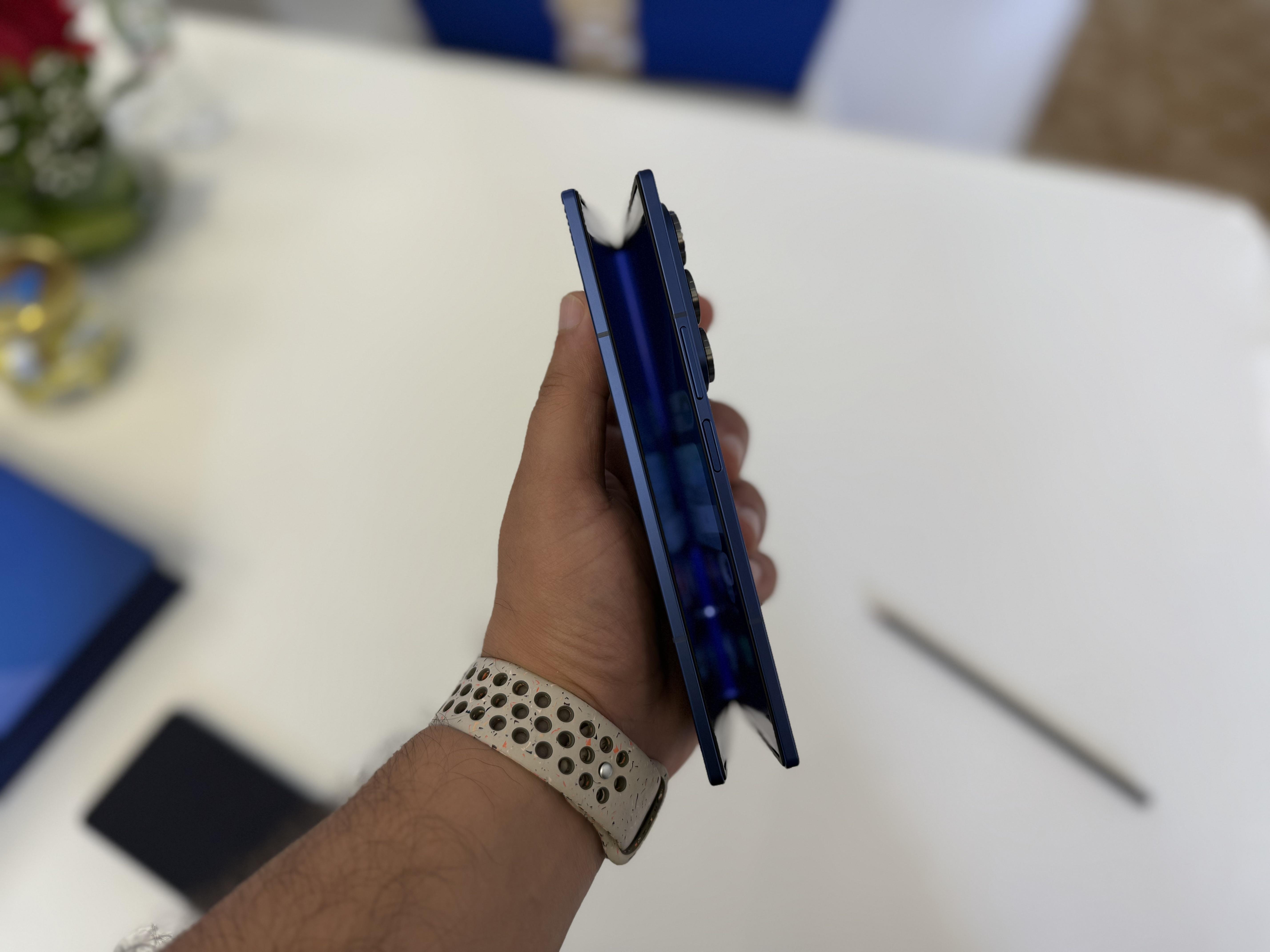
Motorola has been following a consistent design language with its recent Edge devices, and this phone continues that approach. It also looks quite similar to the Motorola Edge 70, which I reviewed back in December. The overall design language hasn’t changed much — the camera placement and module layout on the back panel follow the same style, giving the phone a familiar look if you’ve seen the earlier model. The main noticeable difference is the thickness, as the Edge 70 was one of the company’s slimmer phones. Otherwise, the design largely sticks to the same Motorola approach seen in the previous device. 


The camera module flows into the back panel rather than sitting inside a large rectangular bump, giving the phone a cleaner look. Instead of a glossy glass back, the phone uses a textured matte finish that feels similar to fabric or vegan leather. In everyday use, this turned out to be quite practical. The back panel doesn’t attract fingerprints easily and offers a decent grip while holding the phone. However, I did notice that the textured finish tends to catch dust quite easily. It usually settles on the surface rather than sticking to it, so wiping it clean is fairly simple.


Display: Smooth pOLED screen


The 6.78-inch pOLED display on the Edge 70 Fusion is something I ended up noticing quite often during everyday use. Since I mostly used the phone for social media and entertainment, the screen naturally got a lot of use throughout the day. Whether I was scrolling through Instagram, watching YouTube videos during breaks, or catching up on a show before sleeping, the display was constantly in use. Over time, it became one of the parts of the phone that stood out simply because of how often I interacted with it. 


Motorola lets you switch between different refresh-rate modes: Smart (balanced), Hyper Smooth and Efficiency First. The difference between them is actually noticeable in daily use. When the phone is set to Hyper Smooth, scrolling through apps like Instagram, X, or even long web pages feels extremely smooth. Reels and short videos also appear smoother when you’re quickly swiping through them. 


I mostly kept the phone on Hyper Smooth mode, even though it uses slightly more battery. The reason is simple: once you get used to the smoother animations, switching back to the other modes feels a bit less responsive. For example, when I was scrolling through Instagram Reels late at night or quickly switching between apps while messaging friends, the phone felt consistently smooth.


Performance: Reliable for everyday tasks


The Edge 70 Fusion runs on Qualcomm Snapdragon 7s Gen 4 processor. During my time with the device, I mainly used it for apps like Chrome, Instagram and the camera. The phone handled these tasks comfortably. App launches were quick, and switching between multiple apps didn’t cause noticeable slowdowns. 


I also tried a few games just to see how the phone handled them. The phone warmed up slightly during longer gaming sessions, but nothing unusual for a device in this category.


Software: Clean Android experience


For me, one of the biggest concerns with Android phones has always been the cluttered interface that many brands tend to add. It’s quite common to see multiple preinstalled apps, duplicate services and extra features that you may never really use. Over time, that can make the phone feel crowded and, at times, slightly overwhelming to navigate. 


That’s why I usually appreciate Motorola’s approach to software. The Edge 70 Fusion sticks to a fairly clean Android experience, which makes a noticeable difference in everyday use. The interface doesn’t feel overloaded with unnecessary apps or visual tweaks. Most of the core Google apps are already there and, apart from a few Motorola additions, there isn’t much else preinstalled. In practical terms, this makes the phone feel lighter and easier to navigate. Opening the app drawer doesn’t feel messy, and finding settings is fairly straightforward. 


Motorola’s gesture shortcuts are also still present, and they remain genuinely useful. The twist gesture to launch the camera quickly became something I used several times a day. Similarly, the chop gesture for the flashlight is a simple but convenient way to access the torch without unlocking the phone. 


Moto AI assistant features


Motorola is also pushing its own Moto AI features on the phone, and I did spend some time trying them out during the review period. I mostly used it for simple things like summarising notifications, transcribing notes or quickly pulling up information from what was on my screen. In practice, these features work fine and can save a bit of time, especially when you don’t want to manually go through long notifications or notes. 


Moto AI also includes a feature called “Remember This,” which I found quite practical. It lets you quickly save things like screenshots, notes or on-screen information, and later you can simply ask the phone to recall it instead of searching through your gallery or files. 


What I liked is that Motorola doesn’t lock you into just one AI system. Moto AI works alongside tools like Perplexity, Copilot and Gemini, so you can jump between them depending on what you want to do. 


Motorola has also added support for AI tools like Perplexity and Microsoft Copilot. Perplexity mostly felt like any other AI-powered search tool. Instead of opening a browser and going through multiple links, I could just type a question and get a quick, summarised answer. I found myself using it a few times when I needed quick information or context while reading something online. Copilot is a bit more focused on productivity. I occasionally used it to summarise longer text or draft short replies, and it worked well for simple tasks.


Cameras: Generic


The Motorola Edge 70 Fusion uses a 50MP Sony LYTIA 710 main camera, paired with a 13MP ultra-wide lens, while the front houses a 32MP selfie camera. In daily use, the camera setup felt dependable rather than particularly dramatic. 


Most of the photos I took were during normal situations — quick shots while stepping out, random street scenes, food pictures, or photos of friends. In good lighting, the main camera manages to capture plenty of detail. For example, when I clicked photos of cafes or buildings during the day, textures like tiles and small design details were clearly visible. The colour tuning also feels fairly balanced. It doesn’t overly boost colours, which sometimes makes images look more natural when sharing them on social media. 


However, the selfie camera didn’t leave the best impression during my use. Despite having a 32MP front camera, which on paper should deliver fairly detailed selfies, the results were not consistent. In slightly lower lighting conditions, the front camera struggles to capture even a decent photo.


Battery: Large capacity and fast charging combo


The Motorola Edge 70 Fusion packs a 7,000mAh battery with support for 68W TurboPower fast charging. Since I used the phone mostly as a secondary device, I didn’t end up pushing it enough to give a very precise estimate of battery life. 


That said, from the way I used it — mostly for scrolling through social media, watching videos and replying to messages — the battery seemed quite reliable. I didn’t find myself needing to charge it frequently, and it generally lasted comfortably through the day. 


Because I wasn’t using the phone as heavily as my primary device, it’s difficult to explain the exact screen-on time, but from my experience so far, the large battery should be able to handle typical daily usage without much trouble.


Things to consider before buying


  • Familiar design: If you’ve seen recent Motorola Edge phones, the Edge 70 Fusion may not feel very new. The camera layout and overall back design are quite similar to previous models.


  • Selfie camera limitations: Despite having a 32MP front camera, results can be inconsistent, especially in slightly lower lighting. It might not always produce the kind of selfies you’d want for social media.


  • Curved display edges: The curved screen looks nice, but during one-handed use I occasionally noticed accidental touches near the edges.


  • Dust on the back panel: If you’re using the phone in a lighter colour, dust on the back panel can be quite noticeable, so it often needs a quick wipe. The textured finish helps with grip and avoids fingerprints, though.


Verdict


The Motorola Edge 70 Fusion feels like a phone that doesn’t try too hard to stand out — and in some ways, that works in its favour for users who want to keep things minimal. During the few weeks I used it as my secondary device, it handled the things I actually use a phone for pretty comfortably: scrolling through social media, watching videos and more. The display is easily one of its highlights, especially if you spend a lot of time watching reels, YouTube videos or simply scrolling. Motorola’s clean Android interface also makes the phone feel less cluttered compared with many other Android phones. 


That said, it doesn’t feel dramatically different from Motorola’s earlier Edge phones. The design looks familiar, and while the cameras are reliable for everyday shots, the selfie camera could have been better. But if you prefer a clean Android experience, a good display for content and a phone that simply works without too much complication, the Edge 70 Fusion ends up being a practical option.


Pricing


  • 8GB RAM + 128GB storage: Rs 26,999

  • 8GB RAM + 256GB storage: Rs 29,999

  • 12GB RAM + 256GB storage: Rs 32,999


Motorola Edge 70 Fusion: Unboxing


Source link

Meta to allow AI bot rivals on WhatsApp in bid to stave off EU action

Meta to allow AI bot rivals on WhatsApp in bid to stave off EU action


Artificial intelligence rivals will be allowed on WhatsApp for a year, Meta Platforms said, aiming to head off a possible temporary order from EU antitrust regulators after complaints from competitors shut out of the messaging service.


The European Commission, the EU’s competition enforcer, last month threatened interim measures to prevent potential serious and irreparable harm to rivals after Meta blocked them from WhatsApp, mirroring moves by Italy’s watchdog in December.


Meta has now told the Commission it will let rival AI chatbots access WhatsApp for a fee. The company barred them on January 15, allowing only its Meta AI assistant on the service.


“For the next 12 months, we’ll support general purpose AI chatbots using the WhatsApp Business API in Europe in response to the European Commission’s regulatory process,” a Meta spokesperson said.


“We believe that this removes the need for any immediate intervention as it gives the European Commission the time it needs to conclude its investigation.”


The Commission said it was analysing how Meta’s changes might affect both its interim measures review and its broader antitrust investigation.


Meta has previously said the rise of chatbots on its platforms strains its systems and that other channels exist for AI providers, including app stores, search engines, email services, partnership integrations and operating systems.


Meta allowed rival chatbots onto WhatsApp in Italy in January after an order from the Italian antitrust authority, which is still investigating.


The Interaction Company of California, developer of the Poke.com AI assistant and a complainant to EU and Italian regulators, urged Brussels to impose an interim order on Meta.


“What Meta presents as good-faith compliance is in reality the opposite. The company is now introducing vexatious pricing for AI providers that makes it just as impossible to operate on WhatsApp as the outright ban did,” its CEO Marvin von Hagen said.


“The so-called Italian ‘solution’ is thus no solution at all. It simply replaces one anti-competitive restriction with another,” he said.


Meta said its policy changes will also apply in Brazil after a court on Wednesday reinstated an injunction from the country’s antitrust authority that another court had suspended in January.


The Brazilian case is similar to the EU and Italian ones.


Source link

YouTube
Instagram
WhatsApp